What is an SEO audit?
An SEO audit is a structured check of everything that affects how search engines find, understand and show your pages. A technical audit crawls the site the way a search engine does and reports problems such as broken links, pages blocked from the index, missing titles, invalid structured data and slow loading. The result is an SEO audit report: a document that turns hundreds of raw findings into a short list of decisions.
A full audit has three layers: technical (the crawl), content (does each page answer a real query) and off-page (links and mentions). A crawler automates the first layer and supplies data for the second. It cannot judge search intent or quality on its own. Google’s SEO starter guide is a good yardstick for the basics, because it covers unique titles and descriptions, descriptive URLs, links, images and structured data.
SEO audit report example: Serpel’s crawl of serpel.app
We ran Serpel’s site audit on our own marketing site, serpel.app, on 10 Oct 2026. We crawled it twice: once before a round of fixes and once after. Every number below was read from the real reports with the Serpel CLI (serpel crawl show, serpel audit issues, serpel audit web-vitals and serpel crawl compare). Nothing is mocked up.
| Measure | First crawl | Second crawl |
|---|---|---|
| Pages crawled | 52 (limit 60) | 52 (limit 200) |
| Crawl device | Mobile | Mobile |
| JavaScript rendering | Always render, 49 pages rendered | Automatic, 0 pages rendered |
| Duration | 112 s | 108 s |
| Average response time | 40 ms | 37 ms |
| External link targets checked | 173 | 173 |
| Issue types found | 10 | 7 |
| Errors, warnings, notices | 0, 3, 87 | 0, 2, 71 |
| Score | 90/100 (Excellent) | 93/100 (Excellent) |
One detail about rendering. The first crawl was set to always render, so all 49 HTML pages were loaded in a headless browser. The second used the default automatic mode, which renders only pages that arrive almost empty, and it rendered none. The findings that stayed had identical counts in both crawls, 46 render-blocking pages for example, which is what you expect from a site that sends its content in the HTML. If your pages depend on JavaScript, the mode matters a lot. Our guide to JavaScript SEO explains why.
What goes in the summary of an SEO audit report?
The summary is the only part many readers will see. It must answer three questions: how much was checked, how healthy is the site and what changed since last time.
Pages:                52
Score:                93/100 (Excellent)
Issues:               0 errors, 2 warnings, 71 notices
Since the last crawl: 1 new, 4 resolved issue types
The counts are per affected URL. The 2 warnings are two pages with the same warning, and the 71 notices are 46 + 13 + 4 + 3 + 3 + 2 pages across six issue types.
The score is Serpel’s own calculation, not a Google metric. It starts at 100 and subtracts a deduction for each issue type. An error costs 6 to 20 points, a warning 2 to 8 and a notice 0.5 to 2, depending on the share of HTML pages affected. The table shows how the second crawl lost its points.
| Issue type | Severity | Pages affected | Points deducted |
|---|---|---|---|
| Largest Contentful Paint is poor | Warning | 2 of 49 | 2.2 |
| Render-blocking resources in the head (heuristic) | Notice | 46 of 49 | 1.9 |
| External links point to redirecting URLs | Notice | 13 of 49 | 0.9 |
| Page tells search engines not to follow links | Notice | 4 of 49 | 0.6 |
| Largest Contentful Paint needs improvement | Notice | 3 of 49 | 0.6 |
| Page is set to noindex | Notice | 3 of 49 | 0.6 |
| Structured data without recommended fields | Notice | 2 of 49 | 0.6 |
Together the deductions add up to 7.4 points, so the score is 92.6, which Serpel rounds to 93. Two things stand out. A warning on only 2 pages costs more than a notice on 46 pages, because severity sets the base cost. And a high score is not the goal: a site can score 93 and still have a poor mobile LCP on its home page, as ours does.
How should an audit report group issues by severity and category?
Group findings twice. Severity tells you how urgent a finding is: errors break something, warnings are likely to cost you, notices are worth knowing. Category tells you who has to act: a developer for Core Web Vitals, an editor for descriptions, an SEO for canonicals. Serpel’s catalogue has 94 checks in 18 categories, split into 11 error, 43 warning and 40 notice checks. Each finding carries the same four facts: what was found, why it matters, how to fix it and which URLs are affected.
| Issue | Severity | Category | URLs | Verdict |
|---|---|---|---|---|
| Largest Contentful Paint is poor | Warning | Core Web Vitals | 2 | Real. Mobile lab test of / and /bot. Fix first, after a re-test. |
| Render-blocking resources in the head (heuristic) | Notice | Response time | 46 | Heuristic. Same scripts on every page. Check a browser trace first. |
| External links point to redirecting URLs | Notice | Linking | 13 | Partly real. 12 of 43 redirecting targets had moved. |
| Page tells search engines not to follow links | Notice | Indexing | 4 | Intended on /cancel, /login and /signup. A mistake on the public /bot page. |
| Largest Contentful Paint needs improvement | Notice | Core Web Vitals | 3 | Real. /about, /privacy and /terms on mobile. Same metric as the warning. |
| Page is set to noindex | Notice | Indexing | 3 | Intended. /cancel, /login and /signup should stay out of the index. |
| Structured data without recommended fields | Notice | Structured data | 2 | Valid markup. Optional fields missing on / and /about. |
The verdict column is the part a raw export lacks. It records that someone looked at each finding and decided what it means, and that is what turns an export into an audit report. Serpel marks heuristic checks, such as render-blocking resources, so you can tell a rule of thumb from a confirmed error.
What does a single finding look like?
Open any issue and Serpel shows the detail behind the count. This is the one warning of the second crawl.
Largest Contentful Paint is poor
Severity:   Warning
Category:   Core Web Vitals
Affected:   2 URLs

Why it matters
  The Largest Contentful Paint (LCP) is over 4 seconds. Google rates that as poor.
  Visitors wait too long for the main content and leave more often.
Fix
  Optimize the largest visible element, usually an image or a text block: compress and
  resize images, load the LCP image with high priority (fetchpriority="high") and
  without lazy loading, and reduce server response time and blocking resources.

Affected URLs
  https://serpel.app/      value=4051 ms, source=lab
  https://serpel.app/bot   value=5437 ms, source=lab
Which Core Web Vitals numbers belong in an audit report?
Report all three metrics for mobile and for desktop, and say whether each value is lab or field data. Google’s Web Vitals guidance sets the good thresholds at 2.5 seconds for Largest Contentful Paint (LCP), 200 milliseconds for Interaction to Next Paint (INP) and 0.1 for Cumulative Layout Shift (CLS), assessed at the 75th percentile of page loads. Lab data is one simulated load. Field data comes from real Chrome users over 28 days. The PageSpeed Insights documentation says the two can differ and that measurements vary between runs.
| Page | Mobile, first crawl | Mobile, second crawl | Desktop, second crawl |
|---|---|---|---|
| / | 3.6 s (needs improvement) | 4.1 s (poor) | 0.8 s (good) |
| /about | 3.0 s (needs improvement) | 2.6 s (needs improvement) | 0.7 s (good) |
| /bot | 3.6 s (needs improvement) | 5.4 s (poor) | 1.0 s (good) |
| /privacy | 3.1 s (needs improvement) | 3.2 s (needs improvement) | 0.7 s (good) |
| /terms | 3.2 s (needs improvement) | 2.7 s (needs improvement) | 0.7 s (good) |
Three readings of this table. First, desktop is good everywhere and every lab CLS value was 0.00, so the problem is mobile loading. Second, the field columns show a dash for every page, meaning no real-user data was available, so INP, which exists only as a field value, could not be reported. Third, the lab values moved a lot between two crawls about an hour apart: the home page on mobile went from 3.6 s to 4.1 s and /bot from 3.6 s to 5.4 s, although none of our fixes touched loading. That is why the fix list says to re-test first.
The crawl also records the home page HTML at 1,076,839 bytes, just over 1 MB, which makes the document itself a first suspect for the slow mobile load. We have not tested that yet, so it is a hypothesis, not a finding. Our Core Web Vitals test guide explains each metric.
What does an audit report say about indexability and crawl health?
Include what passed. A report that lists only problems cannot tell a reader whether the rest was checked. These are the passes in the second crawl.
- Status codes: all 52 URLs answered 200, with no client errors, server errors or redirects among the crawled pages.
- Indexability: 46 of the 49 HTML pages are indexable. The other three, /cancel, /login and /signup, are set to noindex on purpose. The three non-HTML URLs are the RSS feed, llms.txt and llms-full.txt.
- Metadata: every HTML page has a title, one H1, a meta description and itself as canonical. No title is repeated and no image lacks alt text.
- Crawl access and speed: robots.txt answers 200 and the sitemap at /sitemap.xml is found. An llms.txt file is present, all 13 AI crawlers Serpel checks are allowed, and the average response time was 37 ms.
How do you read structured data and link findings?
Structured data: errors fixed, recommendations left
The first crawl reported a warning on 3 pages. The home page declared SoftwareApplication markup that lacked a price and either an aggregateRating or a review, and two tool pages declared WebApplication markup that lacked one of those two. We have no customer ratings and will not make any up, so we described the home page as a Product with a price range and the tool pages as plain web pages. The second crawl found no errors. Google’s introduction to structured data explains the markup.
Two recommendations remain: the Organization markup on / and /about has no sameAs property, and the Product on / has none of the identifiers (sku, gtin or mpn) that Google recommends. Both are optional, so they are notices. Check your own markup with the free schema validator.
Links: check a finding before you fix it
The link check followed 173 external targets and reported that 13 of our pages link to URLs that redirect. Those pages point to 43 different targets, which looks like a long to-do list. We requested every one of them again with curl and an English Accept-Language header.
- 31 targets were fine. The crawler had been redirected to the same address on developers.google.com, developer.chrome.com or web.dev with ?hl=de appended, and when we asked again each one answered 200 without a redirect.
- 12 targets had really moved. Four were Google crawling documents that now live under a new path, and eight were pages of Perplexity, the RFC Editor, the Model Context Protocol, InfoQ, Anthropic, OpenAI and Cursor.
The lesson for your own report is that a finding is a lead. Without the re-check we would have changed 31 links that were already correct. With it, the real task is short: replace 12 targets with their final addresses. Our redirect checker shows the chain for a single URL.
Which fixes come first? A prioritised list
End the report with a short, ordered list: what to fix, why, how much work it is. Order by impact on visitors and search engines first, then by effort. This is ours.
| Priority | Fix | Why | Effort |
|---|---|---|---|
| 1 | Re-test mobile LCP on / and /bot, then reduce it, starting with the size of the home page HTML | The only warning, and it affects the first page visitors see | Medium |
| 2 | Let search engines follow links on /bot | A public page that passes no signals to the pages it links to | One line |
| 3 | Replace the 12 moved link targets with their final URLs | Each one costs a redirect, and old addresses can disappear | Low |
| 4 | Add sameAs to the Organization markup where we have profiles to list | Completes optional fields on / and /about | Low |
| 5 | Revisit render-blocking resources after the LCP re-test | A heuristic that is identical on every page | Low, later |
| 6 | Leave noindex on /cancel, /login and /signup | Intended | None |
What we fixed between the two crawls, and what is still open
After the first crawl we fixed four things, and the comparison between the crawls confirms each of them.
- Structured data errors on 3 pages: resolved, and the structured data notices fell from 7 pages to 2.
- A missing canonical tag on /bot: resolved.
- A skipped heading level on 2 pages: resolved. An H3 had followed the H1 on /pricing and on the llms.txt generator page.
- Six meta descriptions that were probably too long: shortened and resolved.
The score rose from 90 to 93. One new warning appeared, the poor mobile LCP described above. None of our changes touched loading, so we read it as measurement variation. At the time of the second crawl everything on the prioritised list was still open.
The third crawl, after working through the list
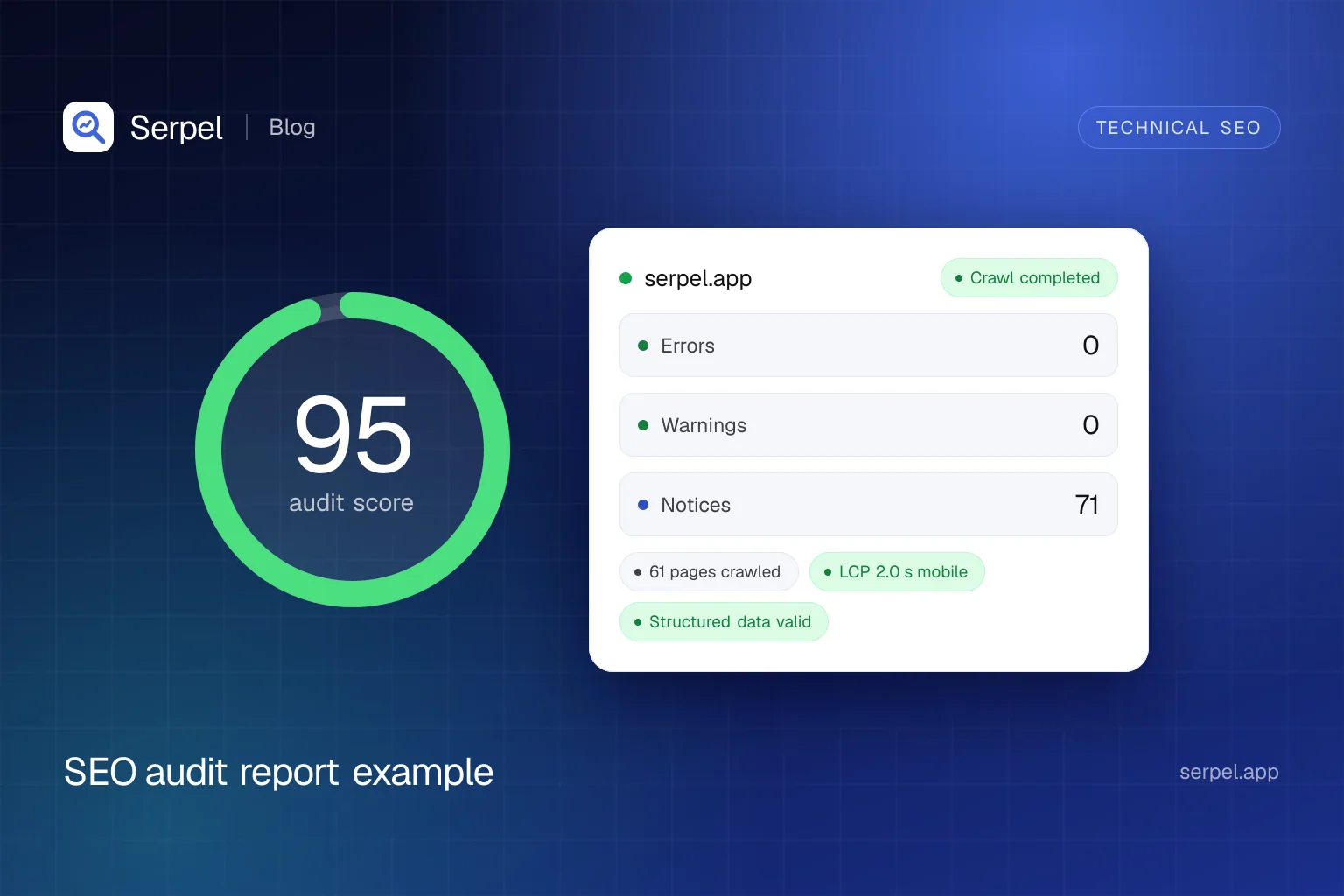
Later on 10 Oct 2026 we shipped fixes for the top of the list and crawled again. The third crawl scored 95 out of 100 with 0 errors, 0 warnings and 71 notices across 61 pages.
- Mobile LCP of the home page: 2.0 s in the lab test, rated good, after we stopped preloading a font subset the site did not need, stopped preloading the monospace font and removed a prefetch of the home page from its own logo link.
- /bot: now indexable and followed. Its mobile LCP was 3.6 s, so it stays on the list as needs improvement.
- Redirecting external links: down from 13 pages to 3. Serpel’s crawler now sends the project’s language instead of a fixed German Accept-Language header, which removed the language redirects, and we updated the links that had really moved.
Two of the three remaining pages link to documentation that sends visitors to its current version with a temporary redirect, which is how that site is meant to work, so we kept the stable address. The third was an RFC link on the schema validator page, which we have since pointed at the final address.
SEO audit report format: a checklist you can reuse
Copy these sections, fill them from your own crawl and add a verdict to every finding. The table shows where each section comes from in Serpel.
| Section | What to include | Serpel command |
|---|---|---|
| Summary | Date, scope (pages, device, rendering mode), score, issue counts, change since the last crawl | serpel crawl show <crawl-id> |
| Findings | Issue, severity, category, number of URLs, your verdict | serpel audit issues --project <project-id> |
| Finding detail | What was found, why it matters, the fix and the affected URLs | serpel audit issue <code> --project <project-id> |
| Core Web Vitals | LCP, INP and CLS per page, mobile and desktop, lab or field | serpel audit web-vitals <crawl-id> |
| Comparison | New, resolved and changed issues, and the score before and after | serpel crawl compare --project <project-id> |
| Export | Issues as CSV or JSON for tickets and spreadsheets | serpel export --project <project-id> --type issues --format csv |
Site audit report: <domain>
Crawled on: <date>   Pages: <number>   Device: <mobile or desktop>   Rendering: <mode>
Score: <score>/100   Errors: <number>   Warnings: <number>   Notices: <number>
Change since the last crawl: <score difference>

1. Findings: severity, issue, category, URLs, verdict
2. Core Web Vitals: page, device, LCP, INP, CLS, lab or field
3. Passed checks: status codes, indexability, metadata, canonicals, robots.txt, sitemap, AI crawler access
4. Fix list: priority, fix, reason, effort, owner
5. Changes since the last crawl: new, resolved, changed
How do you do a website audit, step by step?
Set the scope
Choose the start URL and the page limit. Serpel crawls as a mobile browser and follows internal links up to the limit you set, within your plan’s maximum.
Choose the rendering mode
Automatic renders only pages that arrive almost empty, always renders every page and never audits the delivered HTML only. A server-rendered site like ours needs no rendering.
Run the crawl
A crawl is priced at 1 credit per 20 pages, so a 52-page crawl like ours is priced at 3 credits. Reading the results costs nothing.
Terminal serpel crawl start --project <project-id> --waitRead the summary and the errors first
Start with the score and the issue counts, then list the errors.
Terminal serpel audit issues --project <project-id> --severity errorTriage every finding
Open the detail, check heuristics by hand and decide: fix it, keep it because it is intended or re-test it. Write the verdict down.
Fix, crawl again and compare
After your fixes, crawl again and compare the two crawls, so the report shows what is resolved and what is new.
Terminal serpel crawl compare --project <project-id>
What can an SEO audit report not tell you?
- Whether a page deserves to rank. A crawler checks mechanics, not intent or quality. Read it next to your Search Console and Bing data.
- Anything a heuristic guesses. Title length, thin content and render-blocking resources are rules of thumb, so check them before you act.
- How real visitors experience speed. Lab values are one run. Only field data shows what users see.
- Anything after the crawl. A crawl is a snapshot, so run one after each release.
Frequently asked questions
What is an SEO audit?
An SEO audit is a structured check of the technical, content and link factors that affect how search engines find, understand and show your pages. A technical audit uses a crawler to find issues such as broken links, noindex pages and slow loading, and the report ranks them so you know what to fix first.
What should an SEO audit report include?
A summary with a score and issue counts, findings grouped by severity and category, Core Web Vitals, indexability and crawl health, structured data, links and a prioritised fix list. Add a comparison with the previous crawl and a verdict for every finding, so a reader can see what you decided and why.
How do you do a website audit?
Crawl the site with a tool that reports issues by severity, read the summary and the errors first, check each finding by hand, fix the highest-impact items and crawl again to confirm. The example above follows these steps on a 52-page site.
How often should you run an SEO audit?
Google gives no schedule, so choose one that matches how often your site changes. Run a crawl after every release and keep a scheduled crawl running, so regressions show up quickly. Serpel can run crawls weekly on a schedule.
Is a score of 100 the goal of an SEO audit?
No. The score is a summary, not a ranking factor, and Serpel’s is its own calculation. A site with a high score can still have a serious problem, such as a poor mobile LCP. Use the score to track progress and the findings to decide what to fix.
Sources
- Google Search Central: SEO starter guide, accessed 10 Oct 2026
- web.dev: Web Vitals, accessed 10 Oct 2026
- Google for Developers: About PageSpeed Insights, accessed 10 Oct 2026
- Google Search Central: Block search indexing with noindex, accessed 10 Oct 2026
- Google Search Central: Introduction to structured data markup in Google Search, accessed 10 Oct 2026
Related reading
- Site auditSerpel runs a technical SEO audit with 94 checks, JavaScript rendering and Core Web Vitals, and explains every issue and its fix.
- Core Web Vitals test: how to measure and fix LCP, INP and CLSRun a Core Web Vitals test with PageSpeed Insights, Search Console, Lighthouse, CrUX and Serpel, then fix LCP, INP and CLS with a table of causes.
- JavaScript SEO: how Google crawls, renders and indexes JavaScriptJavaScript SEO explained: how Googlebot crawls, renders and indexes JS, which rendering strategy to choose and how to test what Google sees.
- Schema validatorFree schema validator: test JSON-LD, Microdata and RDFa from a URL or pasted code and see errors, warnings and rich result eligibility.